
Understanding how the Tiktok Pixel Event Tracker works and setting it up remains a vital information every content marketers, digital marketer, including everyone who uses TikTok as a channel for selling or reach potential audience for their brands.
I have detailed the information here to follow the step-by-step build on how to set it up from start to finish.
What is Pixel Event Tracker?
The Pixel Event Tracker is a JavaScript code snippet you add to your website to monitor user actions (events) after they click your ad campaigns, like page views, submit form, submit application, adds-to-cart, or purchases; sending this data back to Ads Manager (for example; TikTok Ads Manager, Meta Ads manager, Google AdWords, etc) for measuring campaign performance, optimizing ad delivery, and building custom audiences for retargeting for you.
Guide to Create Tiktok Pixel Event Tracker
- Make sure you are logged into your Tiktok ads manager account
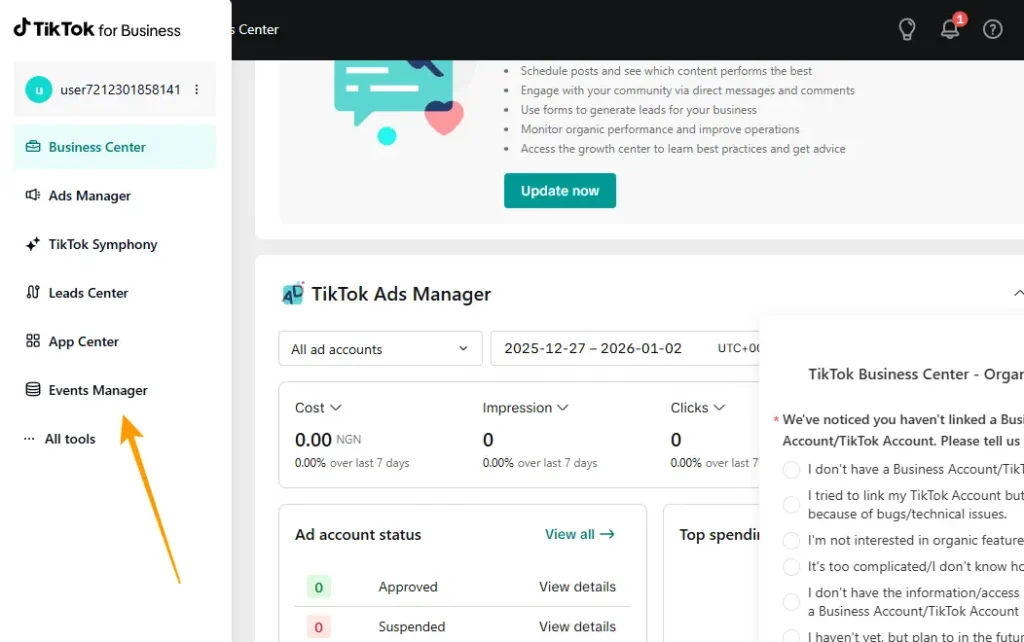
- Then navigate to “Three Hand-burger menu” by the top left corner of the page
- You should see a list of drop-down menu
- Then click on “Events Manager“
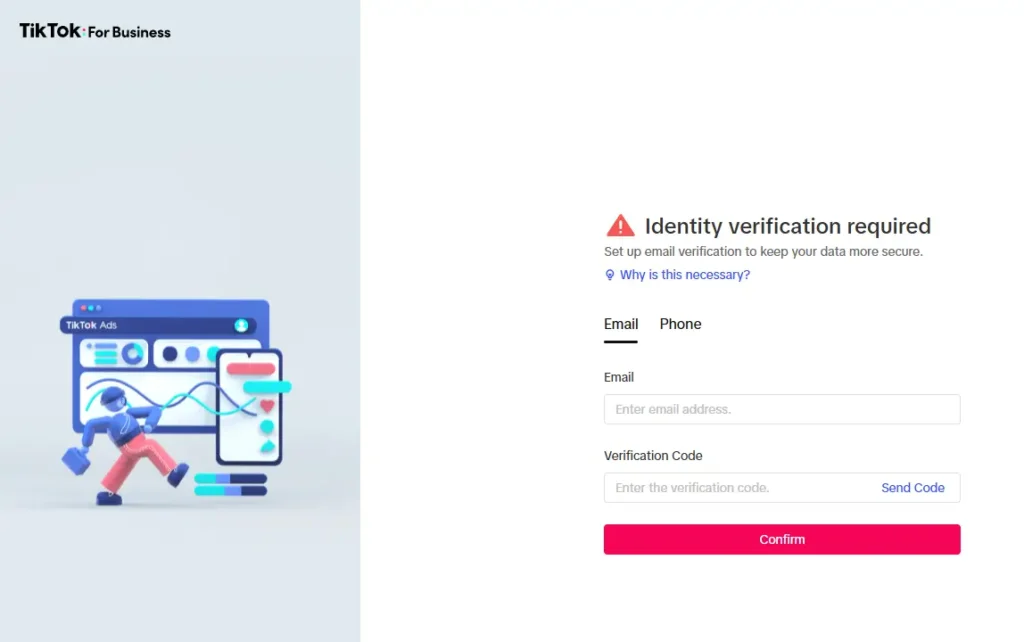
- You will have the options to either email or phone number verification to keep your data more secure. I prefer using using email here. You can do the same as me or use phone number instead, it’s still the same process.
You should enter your email address or phone number, then click on “Send code“.
Enter the code you have received to and click on “Confirm” to complete this stage.
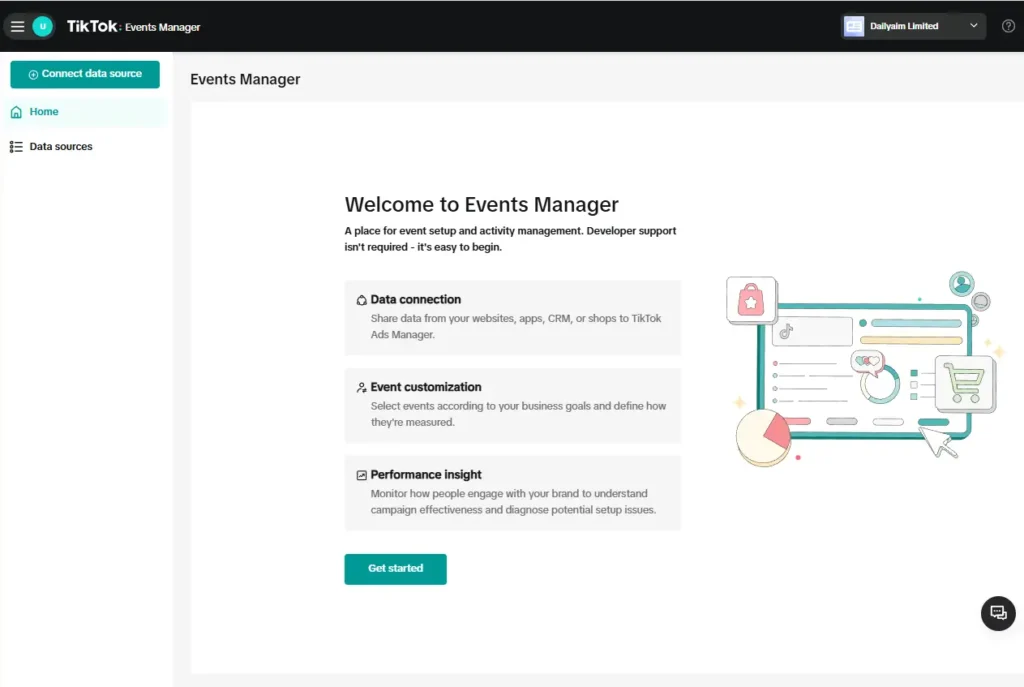
- You should be redirected to the official Tiktok’s Events Manager page
Then click on the “Connect data source” at the top left corner of the page, or the “Get started” button at the center of the welcome page.
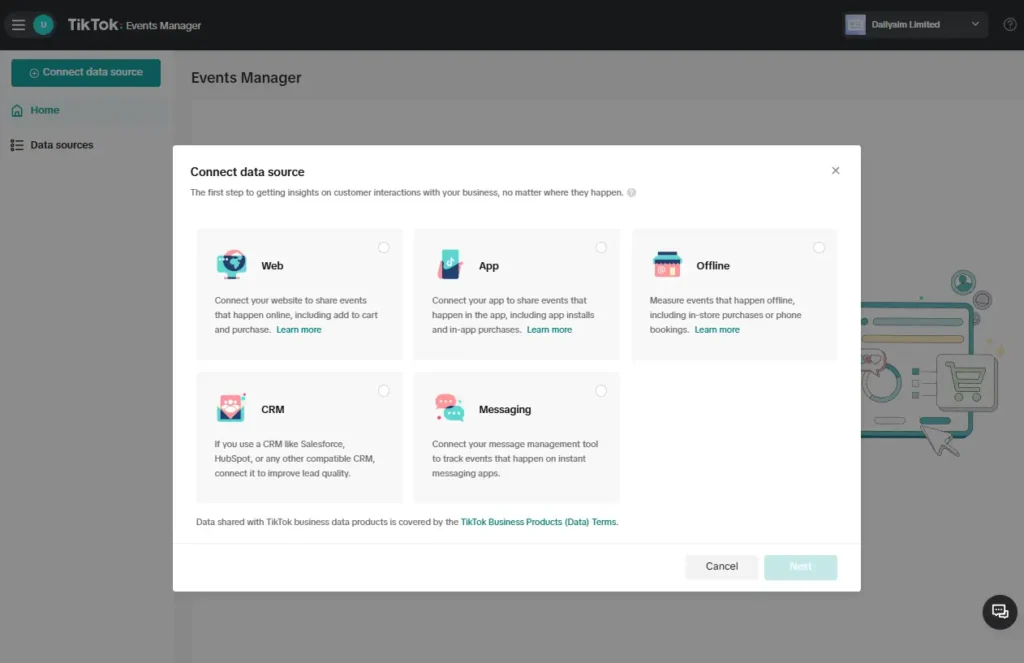
- Then select “Web” on the pop-up that shows afterwards.
Then click on “Next”
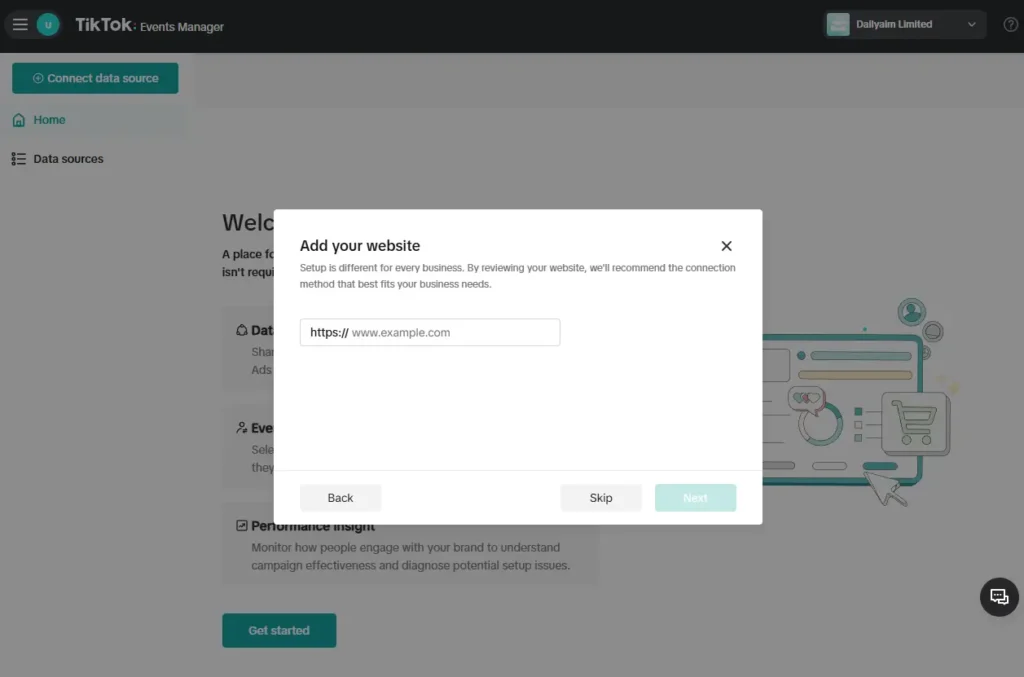
- Then enter your website address and click on the “Next” button again.
Or you click on the skip button if you have many other websites to run under the same Tiktok event manager account.
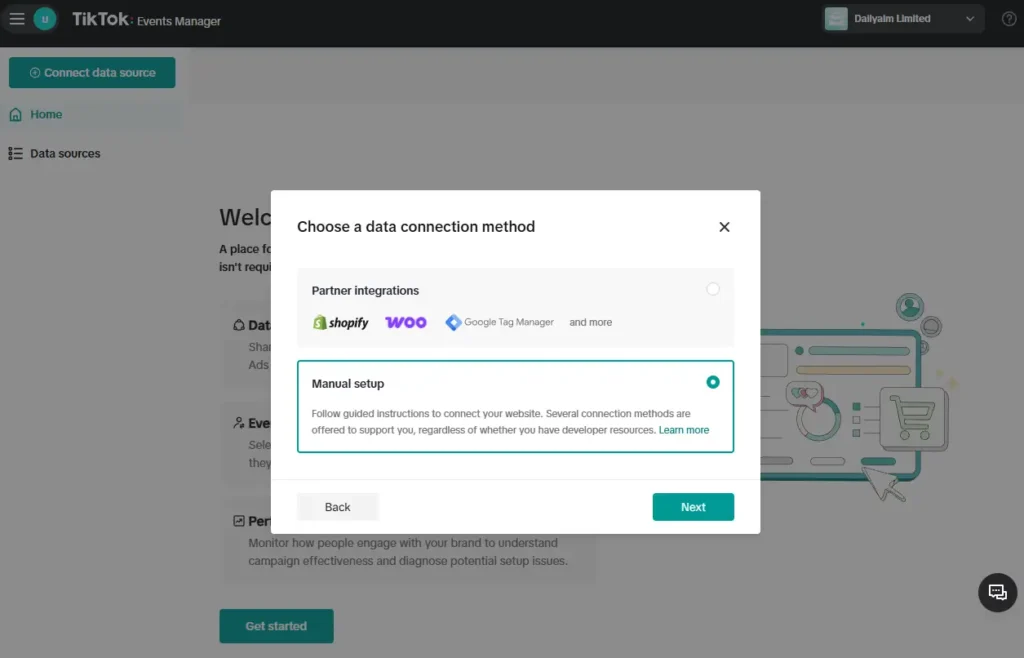
- Here you are expected to choose a data connection method, in this regard, I prefer “Manuel setup” because I use good number of WordPress plugins that let me place codes on/within the <header> </header> of my entire blog.
Meanwhile Google Tag Manager is another platform I would have also preferred to use because it also makes it easy to connect/fire any third part code once it is correctly connected with the site; Google Tag Manager. So select any platform you prefer suits you best here.
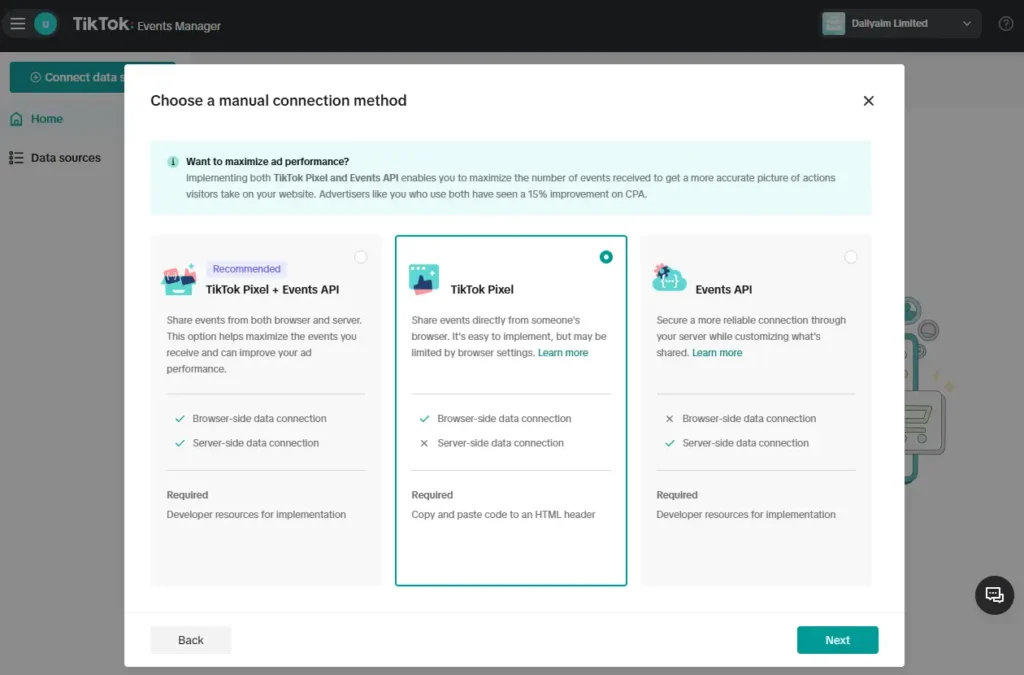
- If you have chosen a manual connection method, then you should ahead to select the “TikTok Pixel” option.
Another advantage of selecting the manual connection method is to allow me install just the pixel without including API or other complicated data tracking I don’t need for my TikTok ads event tracking.
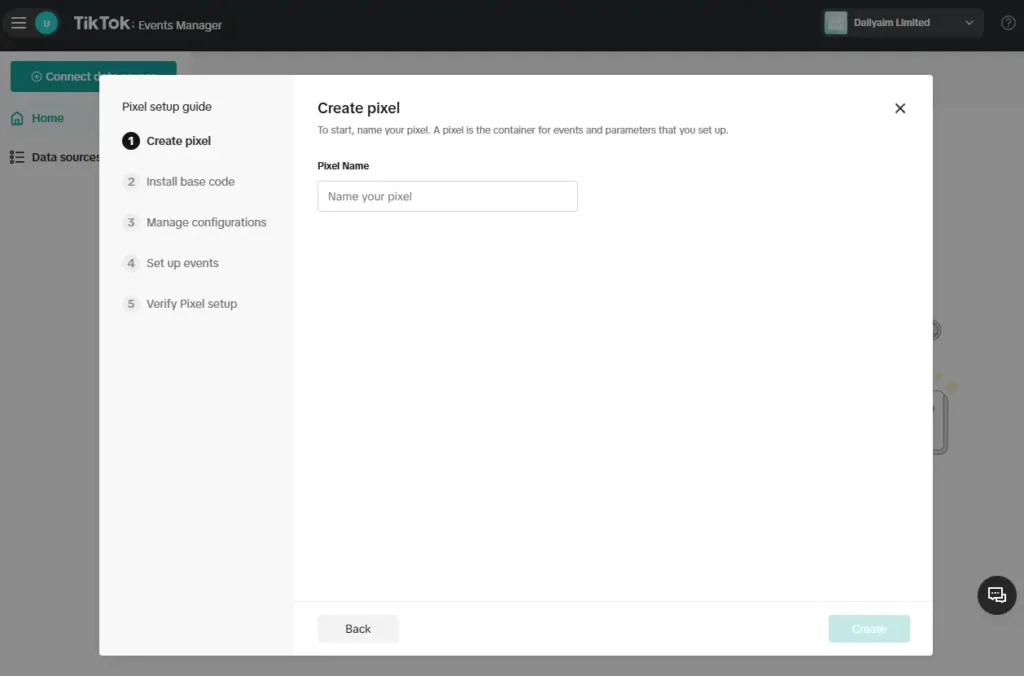
- Then give your TikTok Pixel a name. Similar with the Facebook Pixel setup like I’d already said. This is to help you identify what each pixel will be tracking for you; in case you have more than one pixel for different tracking purposes.
Then click on the “Create” button, if you’re happy with the given name of your pixel.
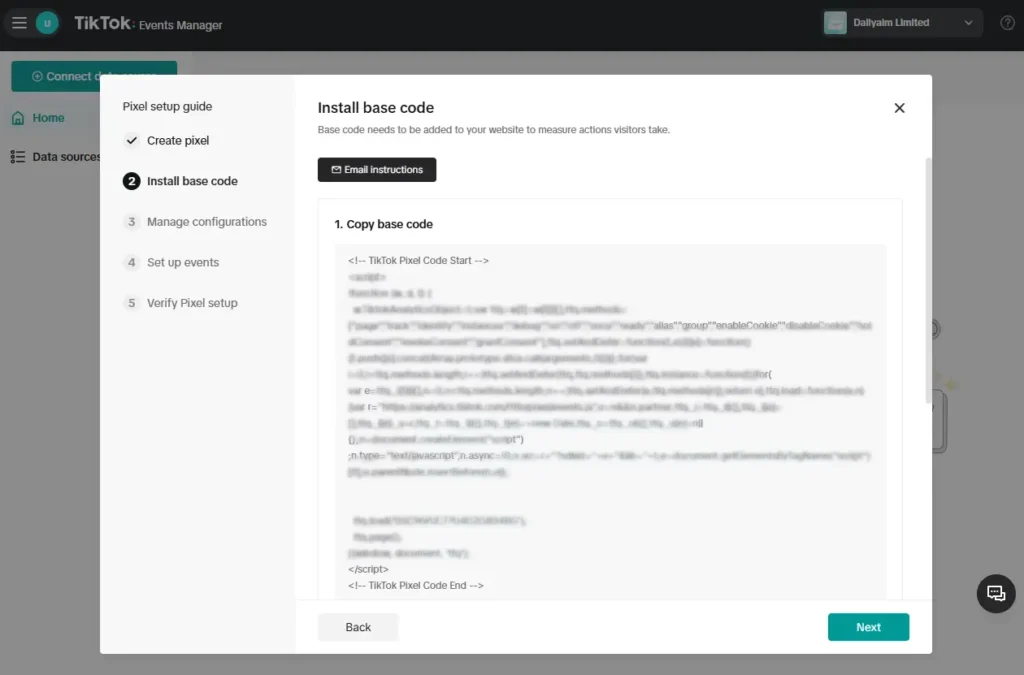
- You should see your TikTok Pixel code, click on the box to automatically copy to clipboard, then to place it on your website header
You can also email the code to someone (or yourself) using the email option. This option may be needed when you can’t mess around with the code on your site.
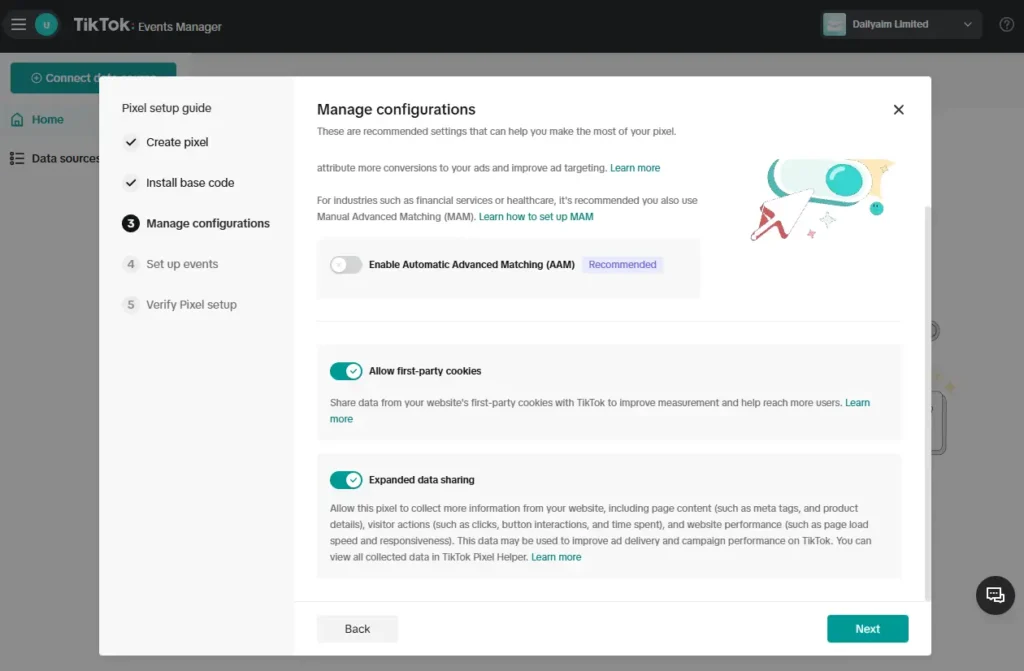
- On the “Manage configurations” page, make sure to enable the three options listed; Enable Automatic Advanced Matching (AAM), Allow first-party cookies, and Expanded data sharing
The AAM is said to help in identifying and delivering ads to people who are more likely to take a desired action on your app or website. Which also clams to increases efficiency and decreases costs. That’s desire of every successful digital marketers, don’t you think so?
Setting Up TikTok Event
This is the time to setup up your event, in order words, to set the event triggers, what it should be tracking. Depending on your campaign goal, some campaign tacks sells, submit form, application form, thank you page, application download page, etc.
This is the point you define what your pixel track for you on your website. This stage is very important and should be taken seriously because it also plays major roles on how TikTok sees your campaign, including providing you with the relevant audiences best for your campaign goal.
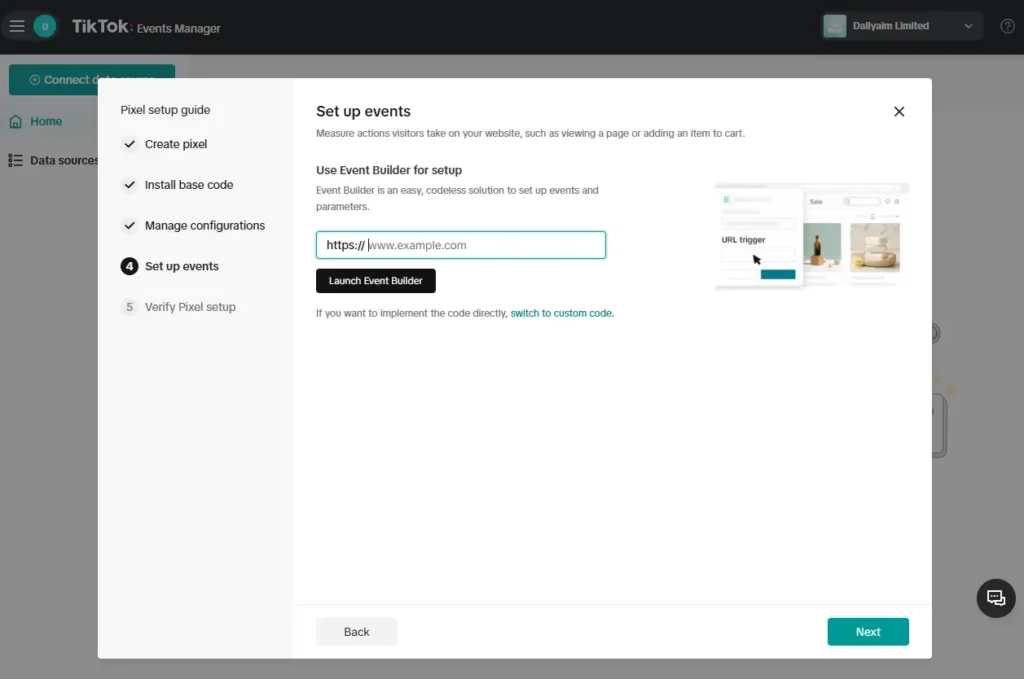
- Now, provide the URL of that landing page, or sales page, application form page, etc. that you intending sending TikTok traffic into.
Enter the URL in to the provided space then click on “Lunch Event Builder”
- A new tab will be opened to display the content (information) on the URL you provided to the Event builder form.
Click on “Add Event”.
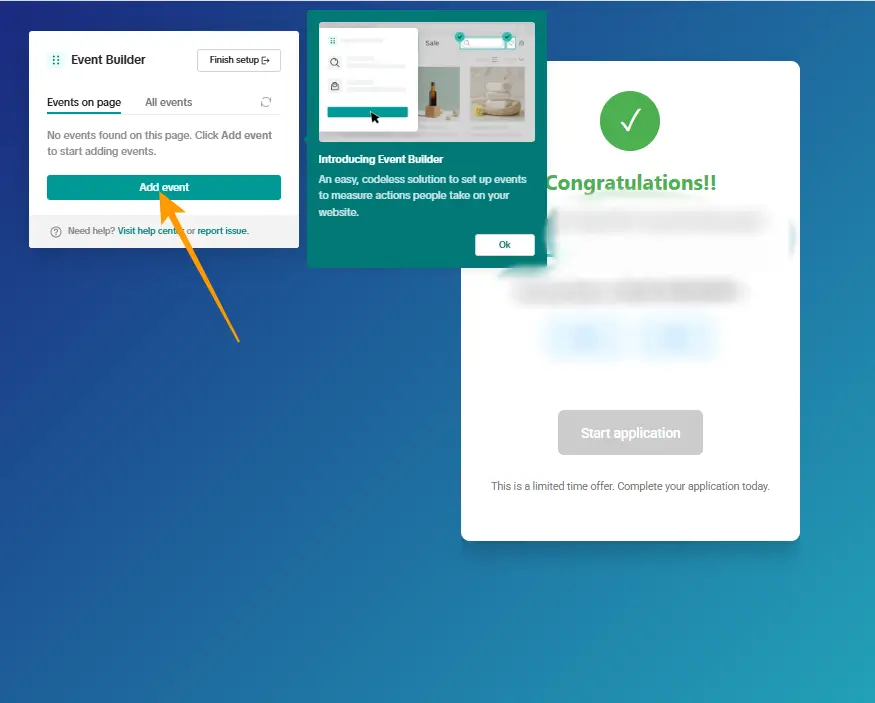
- Then select the parts or elements (for example; buttons) you want to track on your page.
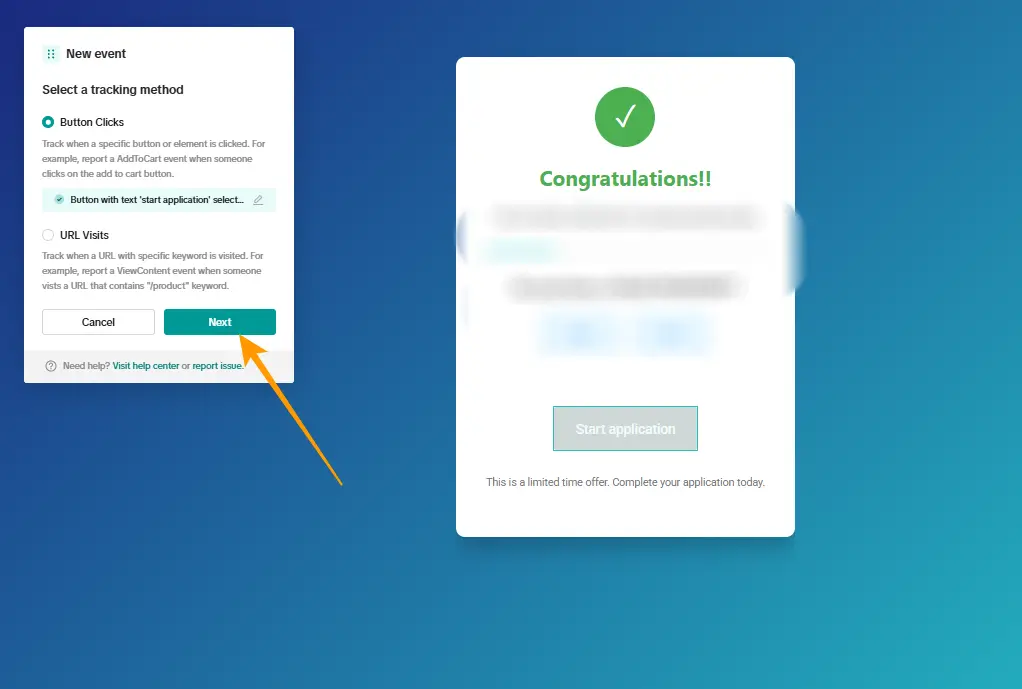
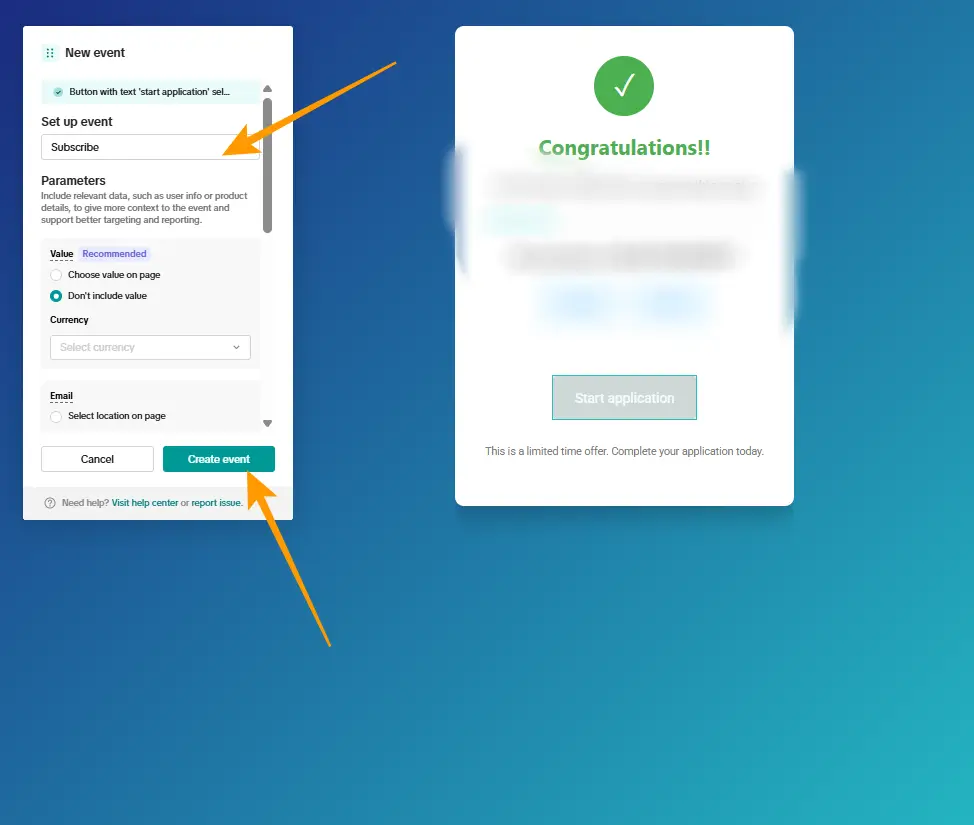
- Then click on the drop-down to select the the “Event type” from the Set up event list.
Then click on “Create event” to submit the form
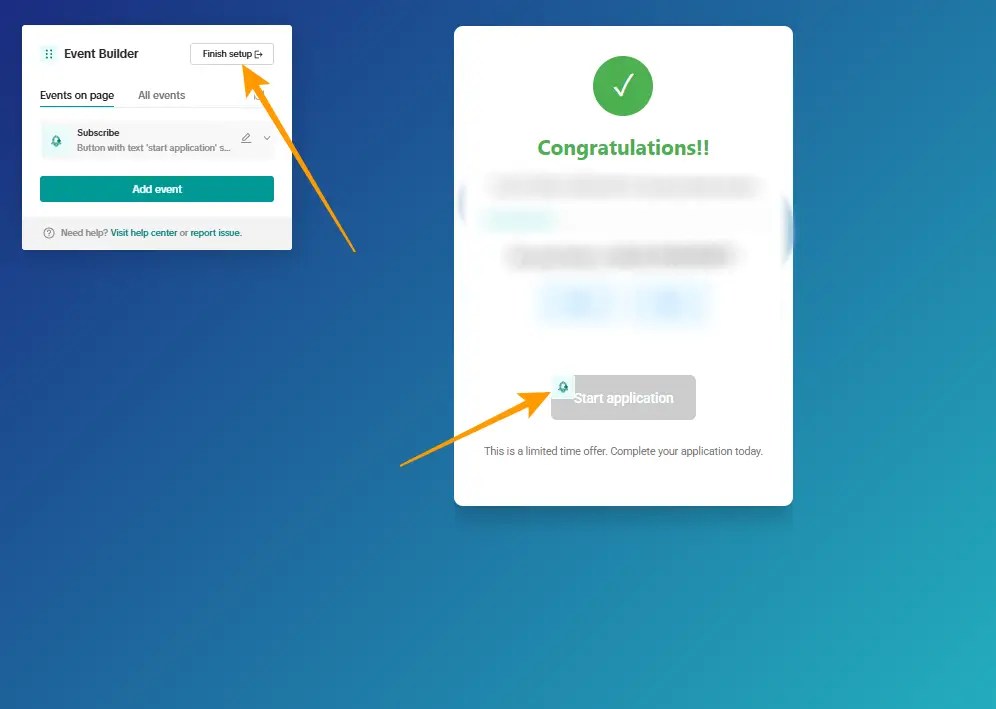
- Click the “Finish” button at the top to complete this section
Now, pay attention to your page, there should be a bell icon attached to the element you are tracking
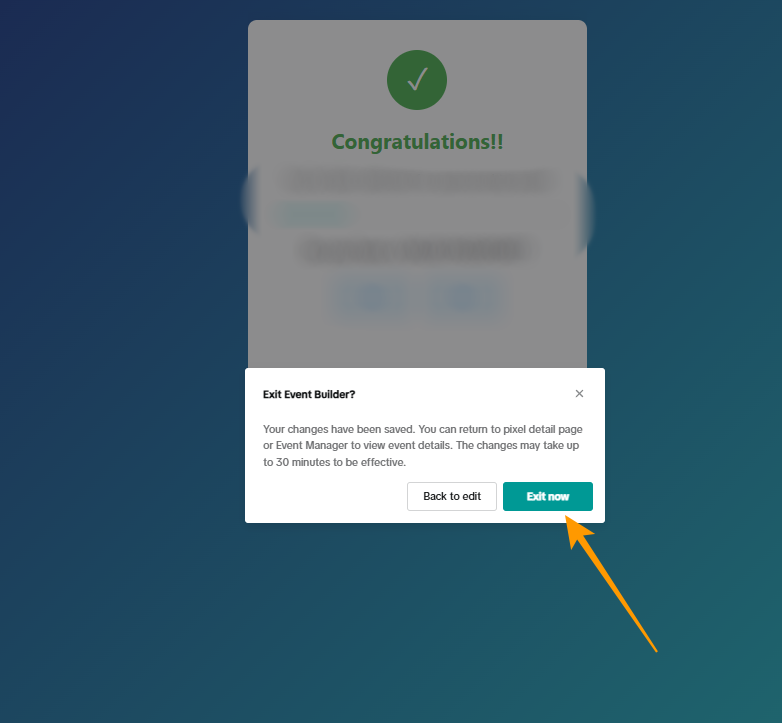
- Now you can exist from the Event Builder to complete your set up on this page.
And that is all!
You can now go on to setup your TikTok Ads Campaign.
You could see how I took time to explain every details on creating Tiktok Pixel Event Tracker for your ads campaign. In return, I want you to share this page across on every social platforms you know it will be valued, so that it goes viral; to help the next person.
Also, feel free to ask your questions on the comment box below, I will take my time to respond.