
You’ve just run a backlink audit and your stomach drops; finding out dozens of spammy links from questionable websites are pointing to your site. Your rankings have been slipping, and now you’re wondering if these toxic backlinks are the culprit.
Before you rush to Google’s Disavow Tool, stop. This powerful tool can save your website from penalties, but misuse it and you’ll tank your rankings yourself. This guide shows you exactly when to disavow, when to walk away, and how to execute the process safely without destroying your hard-earned SEO progress.
What Are Toxic Backlinks?
Toxic backlinks are links from low-quality, spammy, or manipulative websites that point to your site. These links violate Google’s Webmaster Guidelines and can trigger manual penalties or algorithmic demotions.
Google’s algorithms have become more sophisticated at identifying and ignoring poor-quality links automatically. However, certain link patterns still raise red flags, particularly when they appear manipulative or part of a link scheme.
What is Google Disavow Tool?
Google created the Disavow Tool in 2012 to help webmasters distance themselves from harmful backlinks they couldn’t remove manually. This tool tells Google to ignore specific links when assessing your site’s ranking.
Think of the Google disavow tool as your last resort, not your first defence; because this tool exists primarily for penalty recovery, not routine link maintenance. You submit a text file listing URLs or domains you want Google to disregard, and Google processes this information during its next crawl of your site.
The tool doesn’t remove those toxic links, it simply instructs Google’s algorithm to pretend those links don’t exist when evaluating your website’s authority and trustworthiness.
How Bad Links Impact Your Rankings
Not all bad links harm your rankings. Google’s current algorithms ignore most low-quality links automatically without any action needed from you.
However, links can damage your site when they create an unnatural link pattern that Google interprets as manipulation. This includes links from Private Blog Networks (PBNs), paid link schemes, automated link programmes, and websites created solely to pass PageRank.
When Google detects these patterns, two things can happen. First, algorithmic filters may suppress your rankings automatically. Second, Google’s manual review team might issue a Manual Action penalty, which appears in your Search Console account with specific instructions for recovery.
Manual Actions are serious. They can remove your site from search results entirely until you clean up the problematic links and submit a reconsideration request.
The Right Method of Peppering Your Disavow File for Upload
To disavow an entire domain (recommended when multiple pages on the same site link to you), use this format:
domain:example.com
domain:another-spam-site.com
You can add comments using the hash symbol. Comments help you remember why you disavowed specific links:
# Links from PBN network identified Jan 2026
domain:pbn-site1.com
domain:pbn-site2.com

# Negative SEO attack Dec 2025
domain:spam-site.com
Save your file with a .txt extension (using Notepad). Name it something descriptive like “disavow-yoursite-jan.txt”.
Your file must meet specific requirements. Use UTF-8 or 7-bit ASCII encoding. Keep the file size under 2MB (approximately 100,000 URLs). Include only one URL or domain per line.
Remove any blank lines at the end of the file. Ensure each domain entry starts with “domain:” without spaces.
Double-check for typos. A misspelt domain name won’t disavow anything, and you might accidentally leave harmful links active.
You should be ready to disavow after preparing your disavow file following the steps above. Now, also follow the steps below to get the disavow process done correctly.
How to Disavow Toxic Backlinks
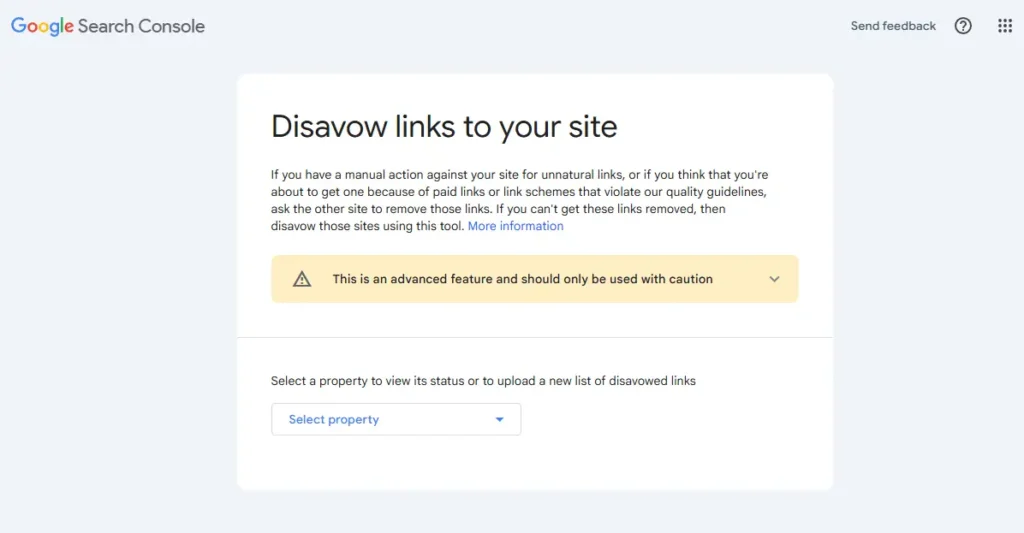
- Already you’re still Logged in to your Google Search Console, You should create a new tab on the same browser that you’re logged in, then go to the dedicated Google Disavow Tool.
Remember, you can always change/switch to your preferred Google account incase you aren’t logged into the correct email address. - Then select a property (the website) to view its status or to upload a new list of disavowed toxic links which you have prepared down.
- From my disavowed uploads you’ll see that the number of domains I had already submitted for disavow, but like I already said, it is a continues process, meaning you keep checking for new links and keep adding them to the previous list and updating your previous submitted disavowed files.
For example; for me, I will have to download the old uploaded file from the Google’s Disavow tool page (the image you see above), then add the new links I discovered for disavowing.
The point is that you still have to keep the old listed domains in your hook like of disavow, don’t let them off.
While on the other hand, if this is your first time of using the Google’s Disavow tool, then you have to upload the file you prepared. While ensuring that subsequent times you keep checking for more toxic links that could hurt your website ranking and still add to the previously uploaded file list. The process continues.
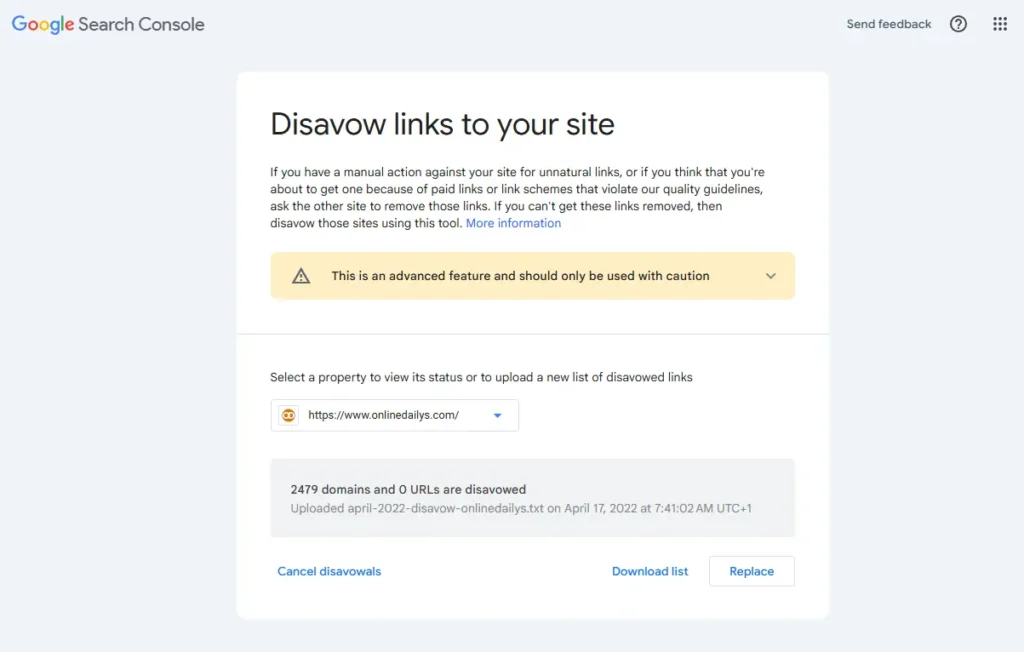
- So in my case, I will click on “Replace”, while you will see “Upload” as a first time attempt.
- Wait for the upload to complete, the time it takes depends on the size of your disavow file. Then you should get a notification that the upload is completed and submitted for disavow once the upload is completed.
Also, another information to take note of is the number of your total disavow domains will increase. See mine as a better example of this.
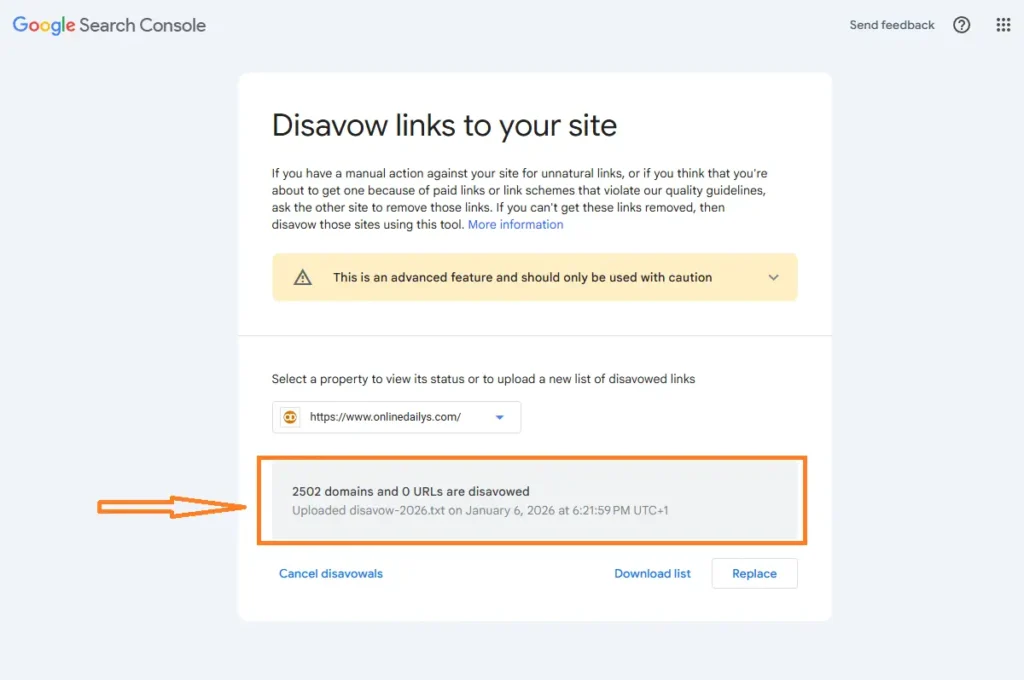
That is all!
Now, keep watching your Google webmaster tool for more incoming external links you might still want to include to your disavowed list.
Why You Must Disavow
This brings us to the strategic value of disavowing toxic backlinks. Consider this: why does a successful business carefully choose its partnerships and associations? Why does a farmer meticulously remove weeds that compete with crops for nutrients and sunlight? The answer is simple: both actions create the optimal conditions for growth, visibility, and tangible results.
The same principle applies to your website’s link profile. Disavowing harmful backlinks removes digital associations that misrepresent your brand, compromise your search visibility, and undermine the authority you’ve worked to build.
But lets go into digital marketing terms now:
- Protect your site from Google penalties
- Recover lost rankings and traffic
- Safeguard your brand reputation
- Clean up inherited link problems
- Defend against negative SEO attacks
- Maintain long-term SEO health
- Regain control of your link profile
What to Expect After Submission
Google processes disavow files when it recrawls your site and the linking pages. This can take several weeks or even months for the full effect to materialise.
You won’t see immediate ranking improvements. In fact, you might see temporary fluctuations as Google recalculates your link equity without the disavowed links.
Monitor your rankings and organic traffic weekly. If you notice significant drops after disavowing, you may have removed valuable links by mistake.
How to Update or Undo a Disavow
Want to add more bad links to the list or made an error? You can reverse disavowed links, though recovery takes time.
Return to the Disavow Links Tool in Google Search Console and download your current disavow file. Open it in a text editor, add or remove the entries you want to restore, and save the changes.
Upload this edited file to replace your previous disavow list entirely. Google reconsiders removed links during its next crawl, but full recovery typically takes 4-8 weeks or longer for infrequently crawled sites.
Best Tools for Identifying and Managing Toxic Backlinks
Google Search Console provides the most accurate view of links Google actually sees. Download your linking sites and pages from the Links section. This is your most reliable source for disavow decisions and Manual Action notifications.
Semrush Backlink Audit assigns Toxic Scores to domains and helps manage outreach campaigns. Use it for initial screening, but review flagged links manually as it often misclassifies legitimate links as toxic.
Ahrefs, Moz, and Majestic offer comprehensive backlink databases with proprietary metrics (Domain Rating, Domain Authority, Trust Flow). These help identify suspicious patterns but remember Google doesn’t use these metrics. Always verify concerning links manually before disavowing.
What to Do After Disavowing
Submit a Reconsideration Request if you received a Manual Action. In Search Console, navigate to Manual Actions and click “Request Review”. Detail your cleanup efforts including links removed manually, links disavowed, and outreach examples. Only submit after completing your cleanup.
Monitor Performance weekly in Search Console. Track impressions, clicks, and rankings for unexpected drops that might indicate over-aggressive disavowal. Watch for new spammy links if you experienced negative SEO attacks.
Focus on Earning Quality Backlinks. Disavowal removes harmful links but doesn’t build authority. Shift to acquiring high-quality editorial links that demonstrate your site’s value.
Building Quality Backlinks Instead of Just Disavowing
Create Link-Worthy Content Assets. Develop comprehensive guides, original research, industry surveys, or useful tools. Visual content like infographics and interactive charts earns links particularly well. Make your content the definitive resource that’s easier to link to than replicate.
Earn Media Mentions Through Digital PR. Respond to journalist queries on HARO, Featured, or ResponseSource. Monitor brand mentions with Google Alerts and request links when mentions lack them. Tie your content to current events and trending topics journalists cover.
Strategic Guest Posting on Trusted Sites. Target publications with strict editorial standards and engaged readerships. Pitch topics serving their audience, not promotional content. Include links naturally where they add genuine value.
Get Listed in Industry Resources. Find curated resource pages and quality directories by searching “best [your industry] tools”. These contextually relevant, editorially given links matter more than high Domain Authority spam directories.
I believe you enjoyed this content, I want you to share this page to those content creators and website owners so they can learn how to keep their external links (backlinks) clean, this process can also help their websites, or clients website get better ranking and visibilities on the search engine results.
So like and share please.
And let me know through the comment box below if you have any further questions to ask, I will be more than willing to attend to it.